HomeBuilt with AIHQ, my private dashboard

Something I built · Internal tool

HQ, my private dashboard

One private page I run my business from: analytics, the blog plan, drafts to approve and a map of every tool.
Build2026
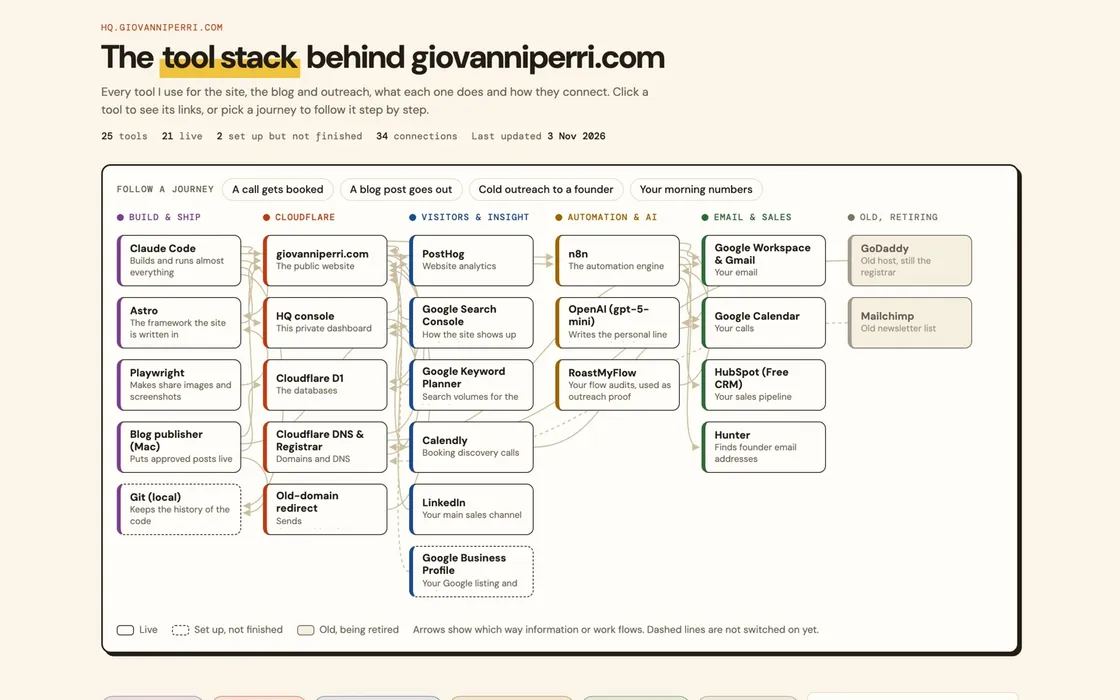
The tool stack page in HQ: every tool behind the site, grouped, with arrows showing how they connect.

HQ’s tool stack map, as it looks today.

The company

HQ is a private website behind a password, built with Claude Code on Cloudflare. It pulls together the numbers and the jobs behind giovanniperri.com, so I open one page in the morning instead of five tools.

The brief

  • See the site's numbers every morning without opening PostHog.
  • Plan, review and approve blog posts in one place.
  • Keep a map of every tool, what it costs and how it connects.

Worked in

Claude CodeCloudflare WorkersCloudflare D1PostHog

What I did

One page in the morning

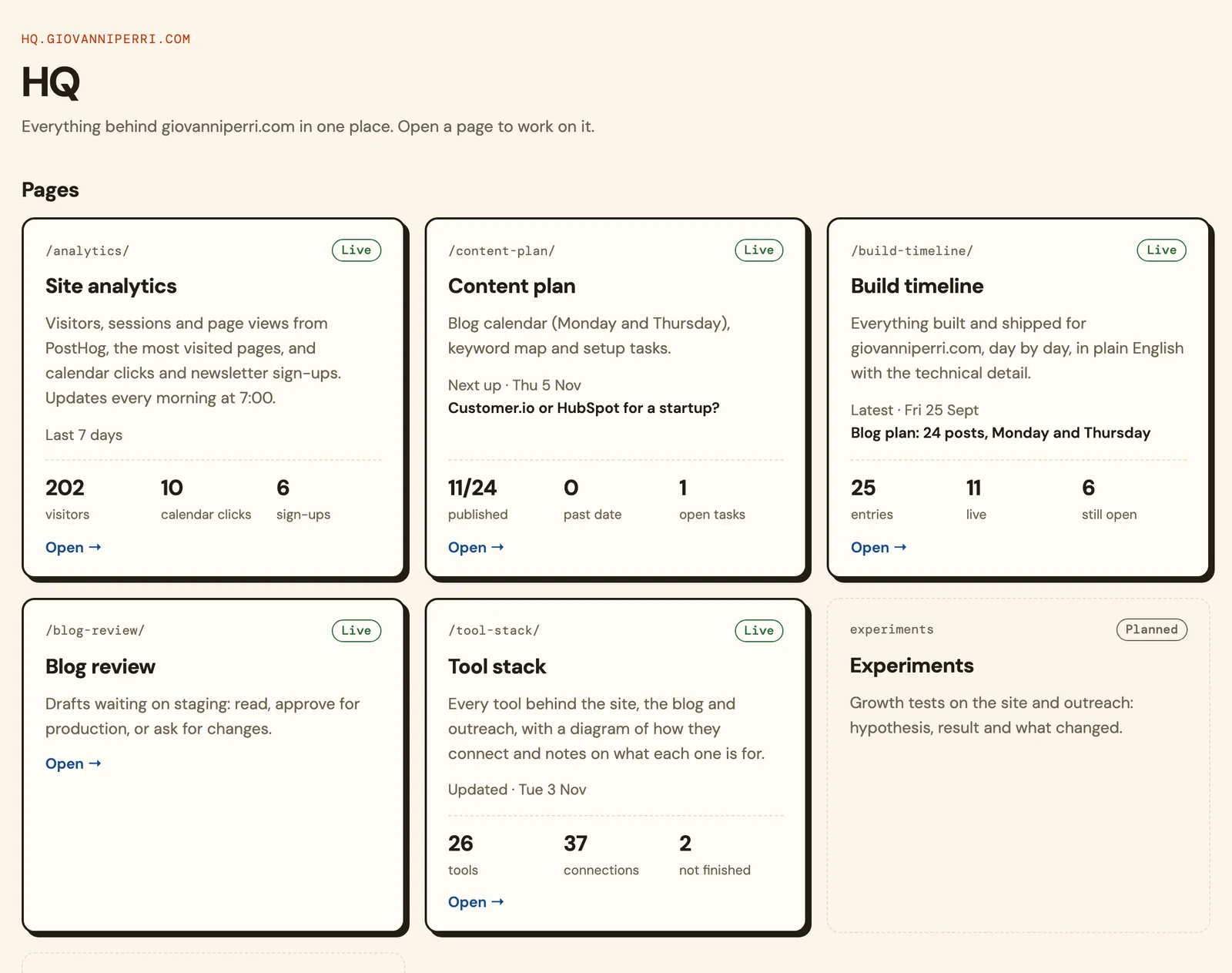
The home page shows each part of the business as a card: site analytics, the content plan, the build timeline, blog drafts to review and the tool stack. Each card shows the one or two numbers that matter, and opens the full page.

The numbers and the content in one place

HQ is where the site's analytics arrive every morning and where the blog is planned, reviewed and approved. Both have their own case studies: this site's analytics, and my blog pipeline.

A map of every tool

The tool stack page lists every tool behind the site, the blog and outreach, what each one does and how they connect. It is how I keep track of costs and of what breaks when one tool changes.

Inside it

What it looks like in use.
HQ · home
The HQ home page: four cards, one per page, each showing the numbers I check first.
The front page of HQ. One card for each page, with the numbers I check first. The analytics figures are made up for this page.
HQ · content plan
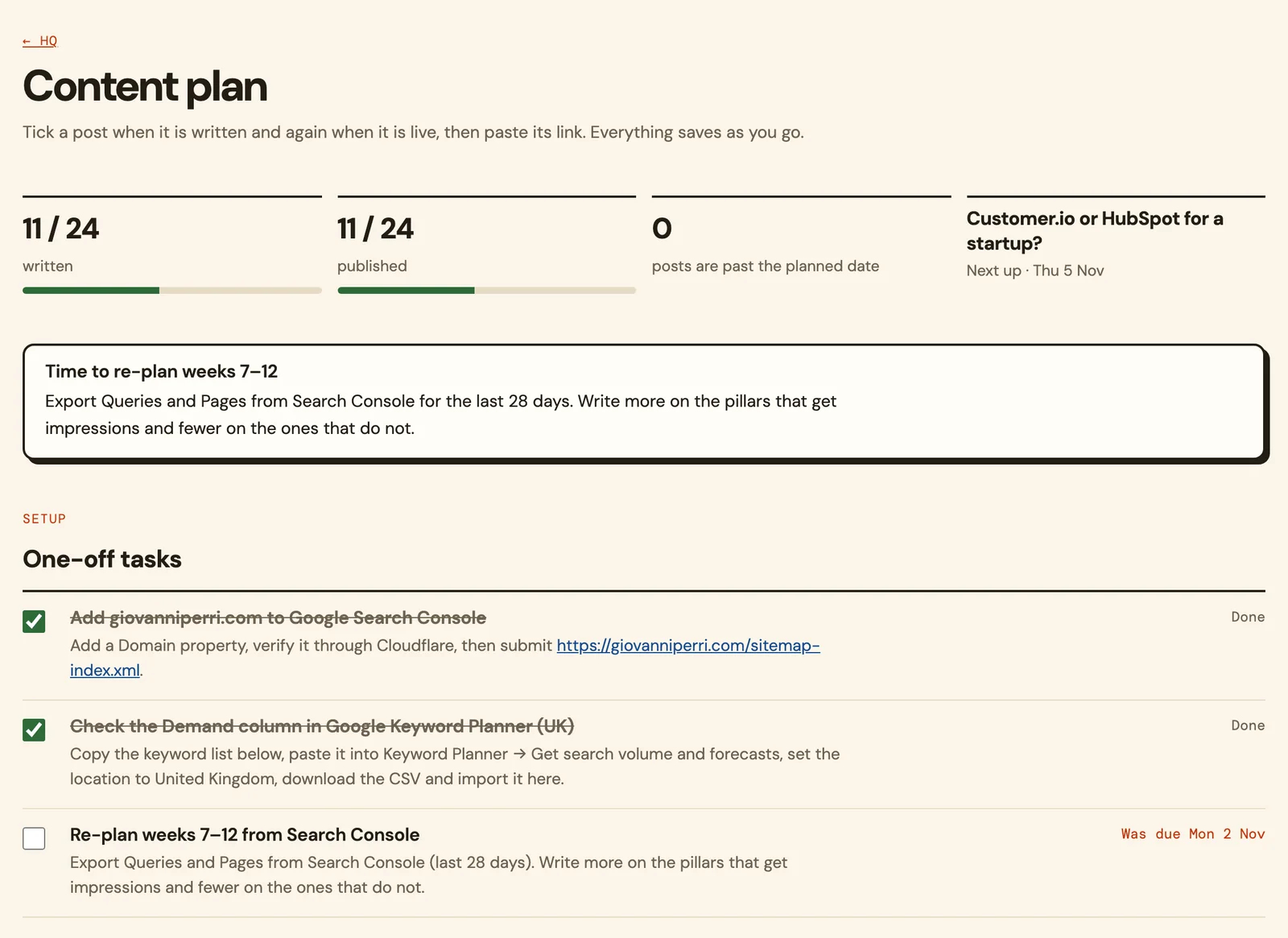
The content plan page: posts written and published out of 24, the next post due, and a list of one-off tasks.
The content plan: what is written, what is live and what is due next. Everything saves as I tick it.
HQ · build timeline
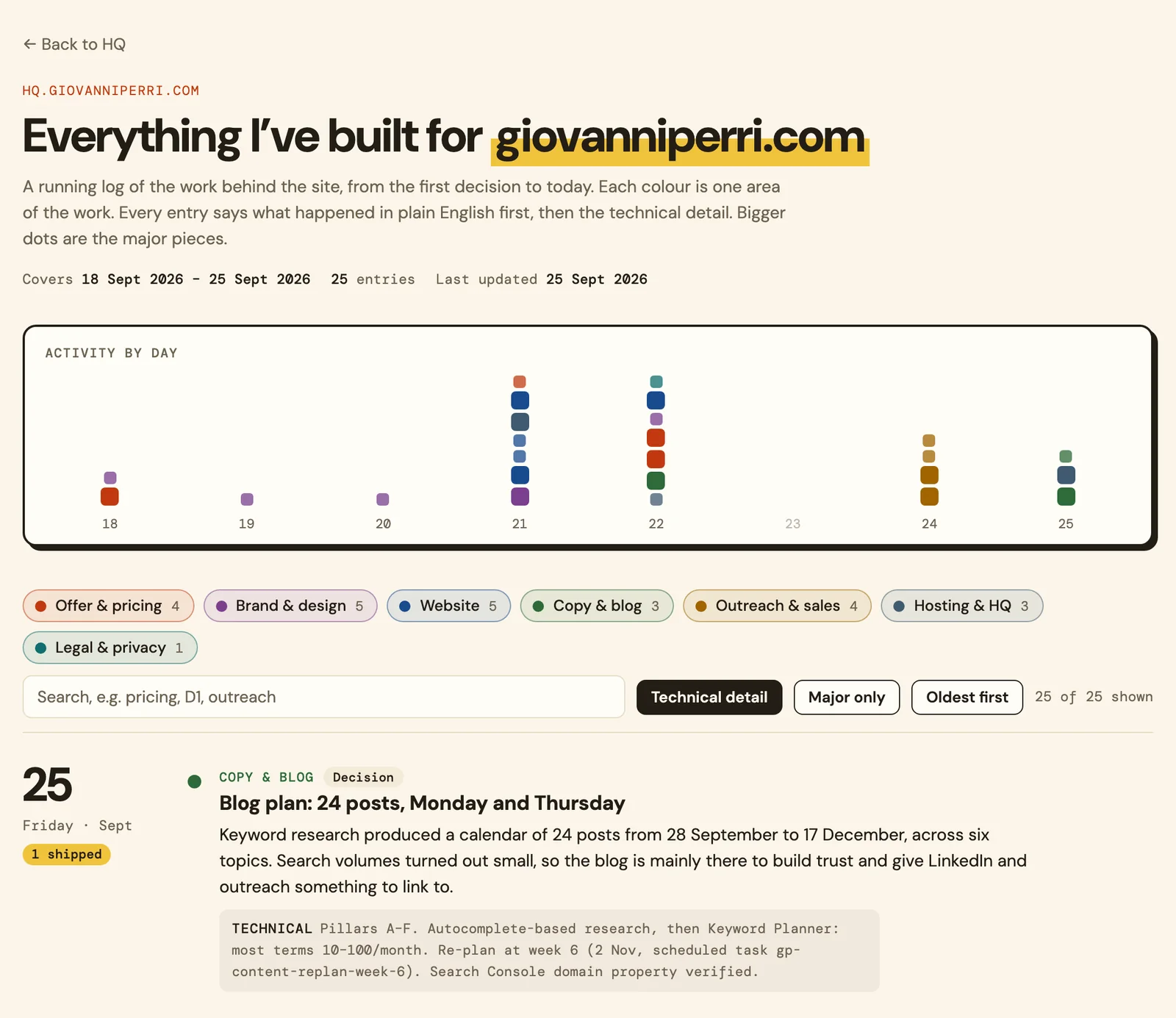
The build timeline: a chart of work by day, coloured by area, and the latest entry in plain English with its technical detail.
The build timeline. Every piece of work on the site, day by day, in plain English and then the technical detail.

What came of it

Results.

A private console live at its own address, behind a password and hidden from search engines
Site analytics refreshed every morning at 7:00
Approved blog posts go live on their own and are sent to Google
A second console for RoastMyFlow, which also tracks leads, tool spend and profit and loss

Figures belong to this engagement and this client. Nothing here is an average or a benchmark, and no number appears without the work behind it described above.

What I took from it

The most useful dashboard is the one you open every day. That means few numbers, each with a link to the work behind it.

Giovanni Perri

Want one like this, for your team?

Tell me the job you want off your team’s plate. Most of these would be a Build, at a fixed price agreed before we start.