
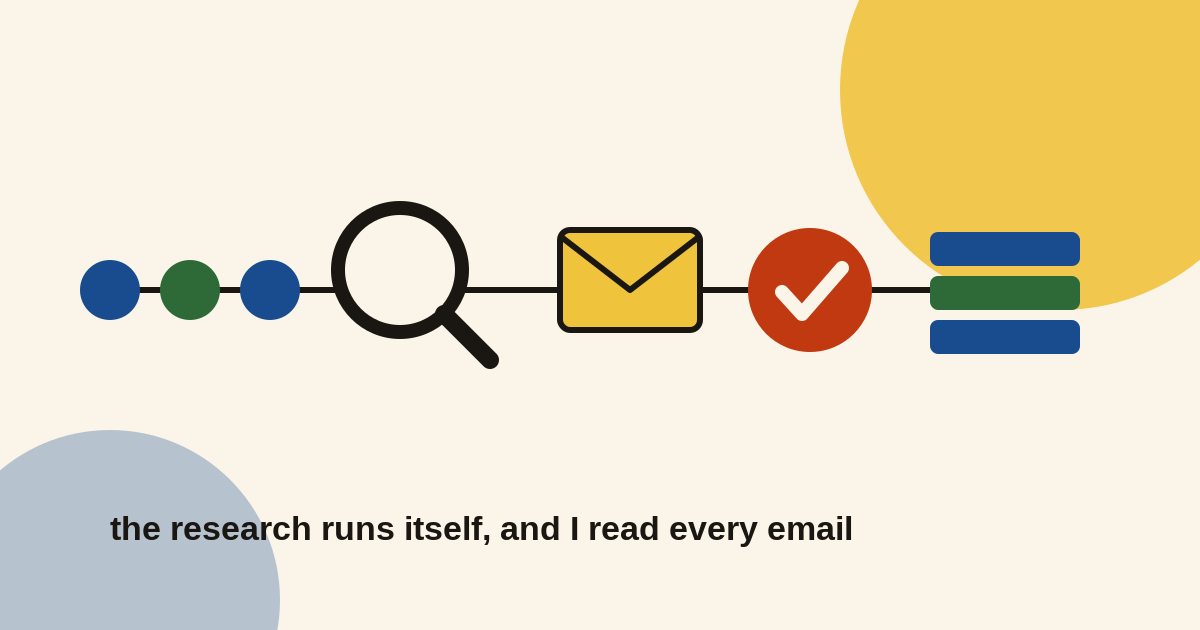
Researching leads by hand is slow and a little dull. You look up the company, find the founder, guess the email, read the website and then try to write something that does not sound like a template. I did exactly that for years, five emails a day. This autumn I built an AI lead research agent to do it for me, and this is how it works, step by step, with what it costs.
What is an AI lead research agent?
An AI lead research agent is a set of automated steps that does the research a salesperson would do before writing to someone. It finds the right person at a company, checks their email address, reads what the company says about itself and prepares a first message.
Mine is part of my outreach system, which writes to UK health-tech founders every weekday.
n8n runs the steps on a schedule. Claude does the reading and writing. HubSpot keeps the pipeline up to date. My own dashboard, HQ, is where I check everything and press Approve. Every company in the screens below is made up.
Step 1: a list of companies, never a guess
The agent always starts from a list I upload to HQ. I build these lists from public sources, such as Companies House and records of companies that received Innovate UK grants. Each company gets a fit grade, so the best matches are researched first.
HQ removes duplicates on the company number. That small rule matters more than it sounds, because the same startup often appears in two lists under slightly different names. Nobody should hear from me twice.
Step 2: finding the right person and checking the email
Every weekday at 5am UK time, an n8n workflow picks up a batch of companies and looks for the right person at each one. This is the part most people mean when they search for n8n lead research.
- It searches by company. It asks Saleshandy’s people search for staff at that exact company in the UK.
- It picks the founder first. It looks for a founder, CEO or managing director. If there is none, it takes a senior person whose surname matches a director listed at Companies House.
- It keeps only working addresses. An email is saved only when it has been verified as valid. Anything uncertain is thrown away.
- Hunter has a second try. If the first search finds nobody, a second workflow asks Hunter. Anyone still without a safe address is held back.
I learned early that the Companies House check cannot be a hard rule. Plenty of founders are not directors of their own company, because the board is made up of investors. So the director match helps the agent choose, but it never blocks a good contact.
Step 3: reading their website on the day
When it is time to write, the agent reads each company’s homepage and about page that same day. Claude works only from what the company says about itself. The emails are only as good as this reading, so I spent a lot of time on it.
The first version read websites with a plain web request. That worked for simple sites, but many startup sites are built with JavaScript or sit behind a bot check. The agent came back with a page title and very little else, and the drafts were guessing.
Now, when the plain read finds very little text, the agent opens the page in a real browser on Cloudflare and reads it properly. If a site still has too little to go on, the founder is flagged for me instead of getting a vague email.
Step 4: five drafts, checked by code before I see them
Claude writes all five emails for a founder in one go, so they read as one thread. My rules live in a writing guide that I edit in HQ: my tone, the clients I may name, the pages I may link to, and things it must never do. It never tells a founder what their own company does, and it never mentions their funding.
Then code checks every draft. Any phrase the writer says it took from the website must appear there word for word. Links must come from an approved list.
Greetings must change from email to email, word counts must sit in range and tired sales phrases are banned. A draft that fails goes to a separate pile, with a note that says exactly what went wrong.
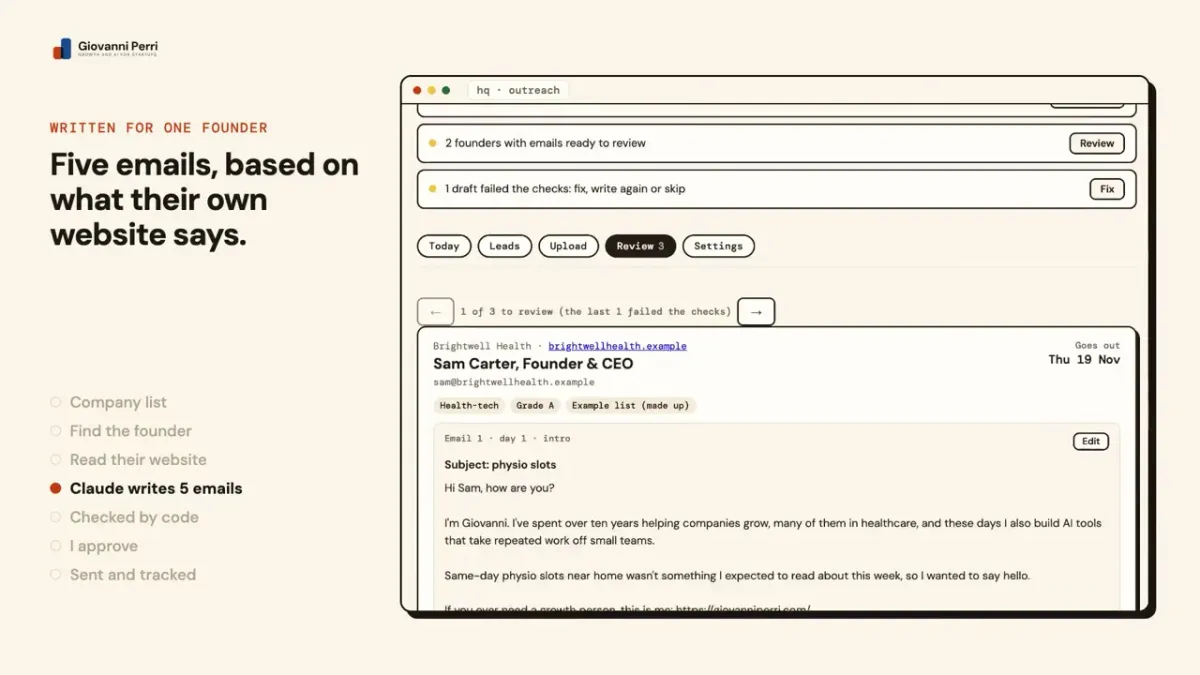
This is where I come in. I read all five emails for each founder, change what I want and approve them, or ask for a new version. Nothing reaches a founder until I have read it. I wrote about this step in more detail in how I build human approval into my AI agents.
Step 5: sending, replies and HubSpot
Each weekday, a small workflow called the pacer adds approved founders to Saleshandy, up to a daily limit I set. The emails go out from separate, warmed-up inboxes on their own domains, never from my main one. Every email has a one-line way to opt out, and opt-outs are honoured straight away.
How the Claude HubSpot integration actually works
People search for a Claude HubSpot integration, so I want to be clear about how mine works. Claude never writes to HubSpot directly. Claude does the reading and the writing, and n8n moves the results into HubSpot through its API. I like this split, because the part that changes my CRM is plain code that does the same thing every time.
When a founder replies, Saleshandy tells n8n straight away. A small Claude model sorts the reply into one of a few groups: interested, not now, not interested, remove me, out of office, a question, or something else. I get an email with that label in the subject line, so I know which replies to answer first. A “remove me” reply also marks the founder as do not contact, so they can never be uploaded again.
Sent emails, replies and booked calls reach HubSpot without any typing, and the deal moves through my pipeline stages from Contacted to Replied to Call booked. If I want to change a deal from Slack, Claudio, the sales assistant I built there, asks me first and changes nothing until I say yes.
What it costs per lead and per month
This is the question I get most, so here are my real numbers, in US dollars because that is how I pay for these tools.
Per founder, the AI cost is a few pence.
When I measured the writer on 6 November, writing all five emails cost between 6 and 9 US cents per founder on Claude Opus. Since then the writer sends its work through Claude’s batch service, which, according to Claude’s own documentation on batch processing, charges 50 percent of the normal price. The trade-off is that the results come back later, and that is fine for emails I read the next morning. Each verified email address also uses one Saleshandy lookup credit, and searches that find nothing are free.
Per month, the tools look like this:
- Saleshandy Starter, for finding emails and sending: 41 US dollars a month, or 34 on an annual plan
- Six Google inboxes for sending, at 3.99 US dollars each a month, billed every quarter
- Warm-up for those inboxes, through TrulyInbox: free with Saleshandy
- Hunter, for the second try at finding an email: the free plan, 50 searches a month
- HubSpot, for the pipeline: the free CRM
- Reading websites in a real browser, on Cloudflare: inside the free daily allowance at my volume
- Claude, for writing and sorting replies: a prepaid account, topped up when it runs low
That comes to about 65 US dollars a month in sending tools, plus the AI usage. It leaves out the sending domains and n8n, which I already pay for and use for many other jobs. Claudio, my sales assistant in Slack, costs about £8 to £12 a month on top.
When an agent like this is right, and when it is not
In my experience, a lead research agent is worth building when:
- You write to a clear group of companies, and a public list of them exists
- A good first email depends on reading something specific about each company
- Someone on your team will read and approve the drafts every week
- You already have a CRM, or are happy to start with a free one
It is probably the wrong choice when:
- You only write to a handful of people a month. Doing it by hand is quicker than building and looking after the agent.
- Your buyers are not on the public web. If there is no website or company record to read, the agent has nothing real to work from.
- Nobody has time to approve. An agent that sends unread emails under your name is a risk I would not take, and I would not build one for you.
How I would build one for you
If you want an agent like this for your own sales, I build it as a Build. That is one agent for one job, tested on your real leads, with an approval step before anything sends. I explain the other jobs I would automate first in my post on AI agents for startups. You can see the rest of my systems on Built with AI, including HQ, the dashboard where I approve everything.
If you are not sure your sales process is ready for an agent, the Audit looks at the work your team repeats each week and shows where AI can safely help. Otherwise, have a look at how a Build works, or book a thirty-minute call below. I will tell you honestly whether an agent would save you time, or whether a simple spreadsheet and a few hours a week would do the job just as well.
the agent does the research and the record keeping, and I decide what we say
Questions people ask
What is an AI lead research agent?
Can Claude connect to HubSpot?
How much does an AI lead research agent cost to run?
Is it safe to let an AI agent send cold emails?

I build growth systems with AI for UK and English-speaking startups, then run them with your team or on my own. More about me · how I work.
Written November 2026. Platform facts checked at the time of writing; if you are reading this much later, check them again.