
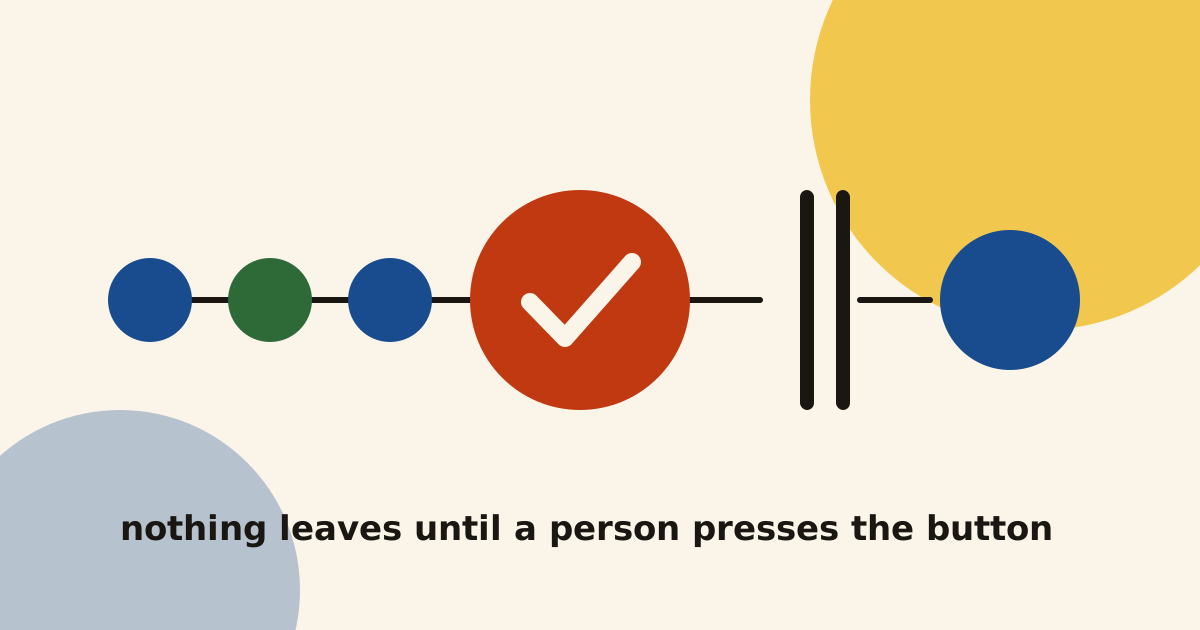
AI agents are now good enough to write an email, a blog post or a CRM update that looks finished. That is exactly why I never let one send or publish on its own. Every agent I run has an approval step, and this is how I build it, using the two systems I rely on every week.
What is a human in the loop AI agent?
A human in the loop AI agent is an agent that stops at a set point and waits for a person to approve its work. The agent does the research, the checking and the drafting, and a person makes the final decision.
In my systems, that point always sits in the same place. It is just before something leaves: an email goes to a founder, a post goes live on this site, or a deal changes in my CRM. I keep one simple rule for it. Anything that sends, publishes, pays or deletes waits for me to press a button.
This is one of the four safety rules I use on every agent, which I describe in my post on AI agents for startups. The other three are read-only access first, a spending cap on every AI account and an alert when a run fails. The approval step is the one people ask me about most.
Where the approval step sits in my two systems
I run two systems every week that write things on my behalf. Both stop in the same place, just before anything goes out.
My outreach system
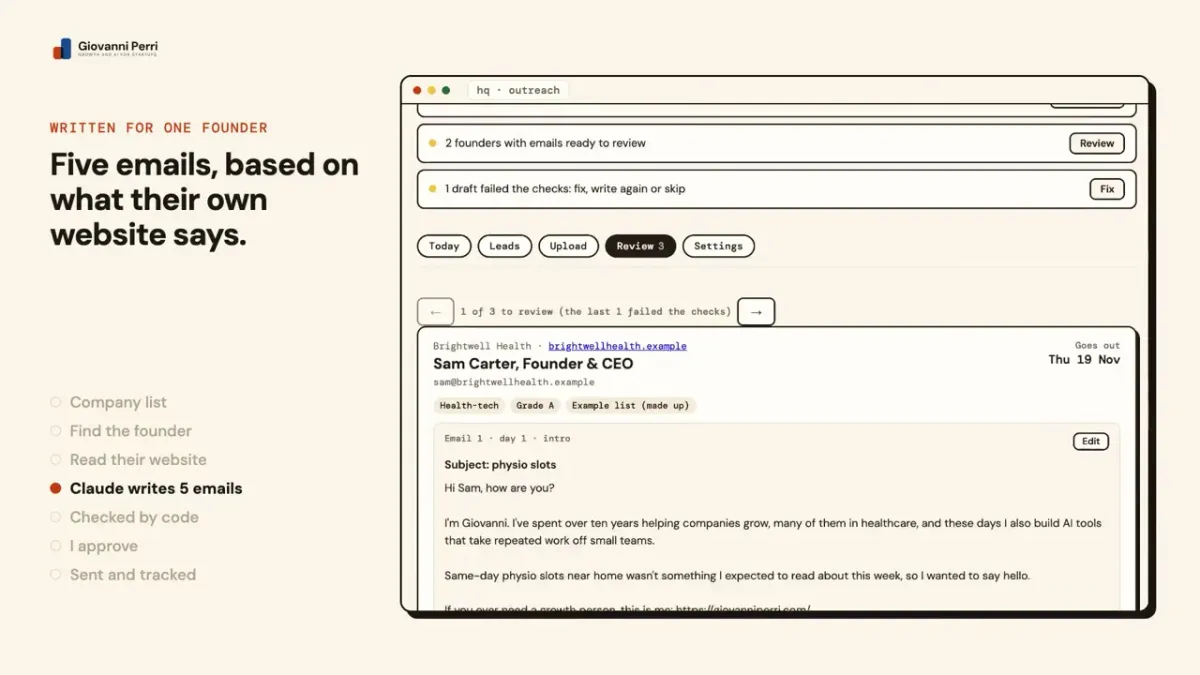
My outreach system finds UK health-tech founders, reads their websites and writes five emails for each one with Claude. A lot happens before I see anything. n8n finds the right person, checks the email address and asks Claude for the drafts. Then code checks every draft: quotes from their website must match word for word, links must come from an approved list, and banned sales phrases are caught.
Then everything stops and waits for me. The drafts land in the Review tab of HQ, my private dashboard. For each founder I read all five emails, change what I want and press Approve. HQ will not let me approve a founder until all five emails have text, so a half-written journey cannot slip through.
Only approved founders move on. Each weekday a small n8n workflow called the pacer adds approved founders to the sending tool, up to a daily limit I set. There is no path from a draft to a founder’s inbox that skips my button.
My blog pipeline
This post went through the same kind of step. My blog pipeline writes each post with Claude on the day it is due, from my content plan and my own case studies. It puts the draft on a private copy of the site, behind a password, and emails me a link.
I read the draft there and open its review page in HQ. The page has two choices: an Approve button, or a box where I write what needs to change. Once I approve, a small job on my computer puts the post live within a few minutes and asks Google to read it.
Two details in the build matter more than they look:
- Approval only happens on a button press. Opening a link never approves anything, because email security scanners open links in emails automatically. If a link could approve a post, a scanner could publish it.
- Each review page carries a code for that version. If I approve an old tab after Claude has written a newer version, HQ refuses it. I can only approve the version I actually read.
Drafts are also marked as drafts in the post itself, and the live site leaves them out of every build. So even a mistake in the publishing job cannot put an unapproved post on the site.
What happens when I say no
An approval step is only useful if saying no is as easy as saying yes. Each of my systems gives me a clear way to say no, and each one sends the work somewhere sensible afterwards.
- Outreach. I can press Write again, and the founder goes back to the writer for a new set of emails. I can also skip a founder, drop them, or mark them as do not contact, and they never hear from me. Write again only works before the emails have gone to the sending tool.
- Blog. I write what I want changed in plain words. On its next run, Claude makes those changes, puts the post back on staging and emails me again, quoting my request so I can check it did what I asked.
- Claudio. My sales assistant in Slack can draft follow-ups, but it never sends them. When it wants to change a deal in HubSpot, it asks me first, and nothing changes until I say yes.
A draft that fails the automatic checks gets the same treatment before I even see it. It goes to a separate pile with a note that says exactly what went wrong, so I can fix it, write it again or skip it.
How I build approval in n8n
There are two ways I build this step, and I choose between them by how much reading the approval needs.
The built-in approval for agent actions
When an n8n AI Agent wants to use a tool, n8n can pause it and ask a person first. According to n8n’s documentation on human-in-the-loop for tool calls, the request can arrive in n8n’s own chat or in tools such as Slack or Gmail. If the reviewer approves, the tool runs. If they deny it, the action is cancelled and the agent is told it was refused.
This is how Claudio works. Reading my pipeline and drafting emails run freely. The tool that changes a deal in HubSpot is set to need my approval. It suits short, single decisions that I can make from my phone.
A button in my own dashboard
When the approval means reading a lot, such as five emails per founder or a whole blog post, I build the step outside the agent. n8n writes the work into my dashboard, HQ, and then the workflow ends. The next workflow only picks up work that HQ has marked as approved.
I like this pattern for three reasons:
- I can edit before I approve. I change a sentence and approve my version, which is better than a simple yes or no.
- Nothing waits in the middle of a run. Each workflow finishes cleanly, so a draft can sit for a day without anything timing out.
- I can see the whole queue. HQ shows what needs me today, so approvals do not get lost in a chat thread.
Why the button stays
People sometimes ask me when I will remove the approval step, now that the drafts are good. My honest answer is that I do not plan to.
The code checks catch the mistakes a machine can see, such as a wrong link or a quote that is not on the founder’s website. They cannot tell me whether an email is the right thing to say to that person this week. That is a judgement about a relationship, and the email goes out under my name.
I have also seen what happens when an agent is trusted too much. My own agent once reported a form as sent when it was not, and nothing questioned it. Since then I want proof before I believe “done”, and a person before anything leaves.
The approval also costs me less time than it sounds. Everything before the button and everything after it runs by itself. I approve outreach in batches, and a blog post takes a few minutes to read. The research, the checking, the sending and the record keeping happen without me.
When you need an approval step, and when you do not
In my view, an AI agent needs a human approval step when it:
- Sends anything to a customer, a prospect or a partner
- Publishes anything under your name or your brand
- Moves money, issues a refund or changes a price
- Deletes data, or changes records that are hard to put back
It usually does not need one when it:
- Only reads, sorts or summarises, and a person uses the result
- Writes internal reports or alerts that only your team sees
- Makes changes that are easy to spot and cheap to undo
I would rather have a few approvals that I read properly than many that I click through. If an approval step asks for a yes on everything, people stop reading and start clicking, and then the step protects nobody.
How I would build it for you
If you have a job you want an agent to take off your team, I build it as a Build. That is one agent for one job, with an approval step wherever it sends, publishes, pays or deletes, tested on your real examples and handed over with notes. If you are not sure which job to start with, the Audit looks at the work your team repeats each week and shows you where AI can safely help.
You can see the systems I have built this way on Built with AI, including HQ, the dashboard where I approve everything. If you want an agent you can trust with real work, have a look at how a Build works, or book a thirty-minute call below. I will tell you honestly where the approval button belongs in your process, and where you can safely leave it out.
the agent does the work, and the button that lets it leave stays with a person
Questions people ask
What does human in the loop mean for an AI agent?
Can n8n pause an AI agent and wait for approval?
Does an approval step slow everything down?
Which actions should always need a human approval?

I build growth systems with AI for UK and English-speaking startups, then run them with your team or on my own. More about me · how I work.
Written November 2026. Platform facts checked at the time of writing; if you are reading this much later, check them again.